Free on your laptop.
Fast on cloud GPUs.
A 3D FDTD electromagnetic solver for photonics. Design, simulate, and analyze in a desktop app or a Python SDK you pip install. Run locally for free during the beta, or send the same simulation to cloud GPUs with a price shown before it runs.
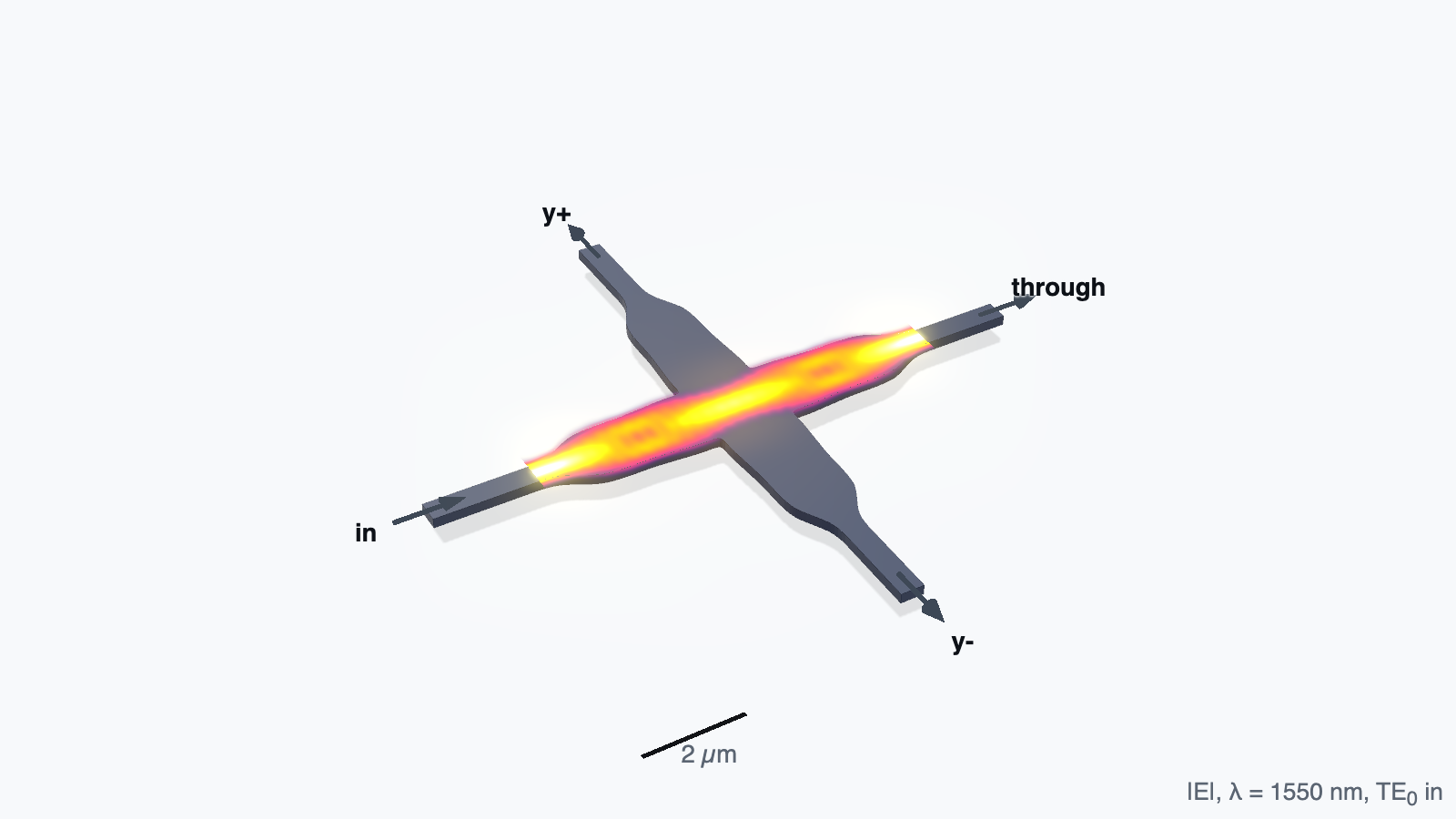
Insertion loss at 1550 nm · Ma 2013
01 / Why PhotonHub
Focus on your design.
Free local runs. Private designs.
Local CPU simulation is free during the beta. Your local geometry and results stay on your machine.
Fast cloud GPU compute.
Switch from local CPU to cloud GPUs with one click in the app or a one-line change in Python. Keep the same simulation setup and analysis workflow.
Accuracy backed by validation.
Checked against analytic references, with mesh convergence studies and CPU/GPU comparisons for tested cases. Review each example’s settings and remaining limitations.
Solver and cloud access require a beta invitation. Cloud GPU compute is metered, with a cost estimate before each run. Follow the quickstart →
02 / Examples
Published devices.
Results you can inspect.
Every example starts from the dimensions a paper printed and nothing else. Nothing is tuned to make the answer land on the published one. Explore executed notebooks and the curved coupler example, with device setups, simulated fields, output spectra and source downloads.
| Device | Quantity | PhotonHub | Published | Run |
|---|---|---|---|---|
| Waveguide crossing Ma 2013 | Insertion loss at 1550 nm | 0.018 dB | 0.017 dB its 3D FDTD | 5 min, laptop |
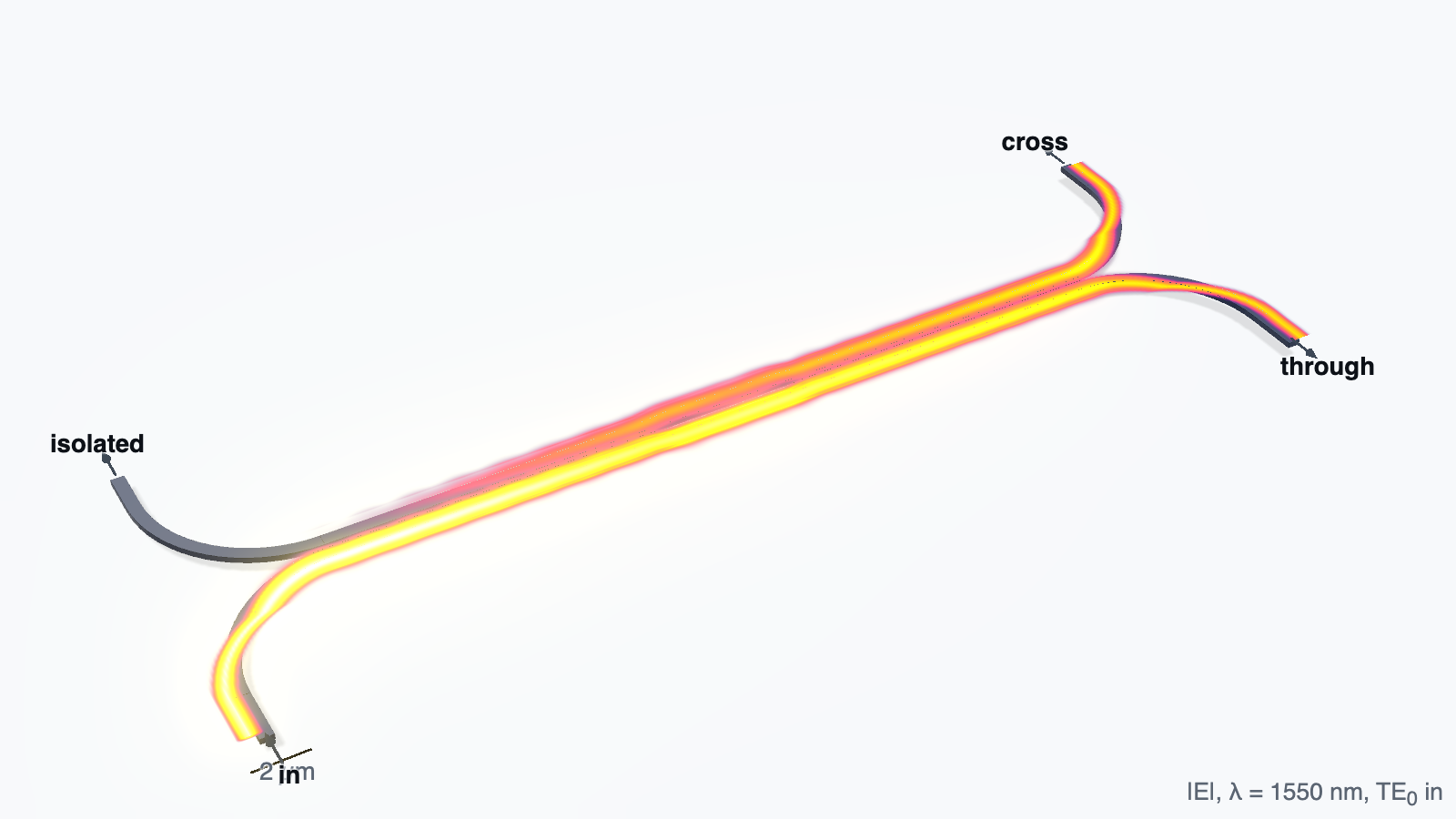
| Directional coupler Lu 2015 | Cross-port fraction at 1550 nm | 0.507 | 0.498 its model, 0.510 its FDTD | 6 min, cloud GPU |
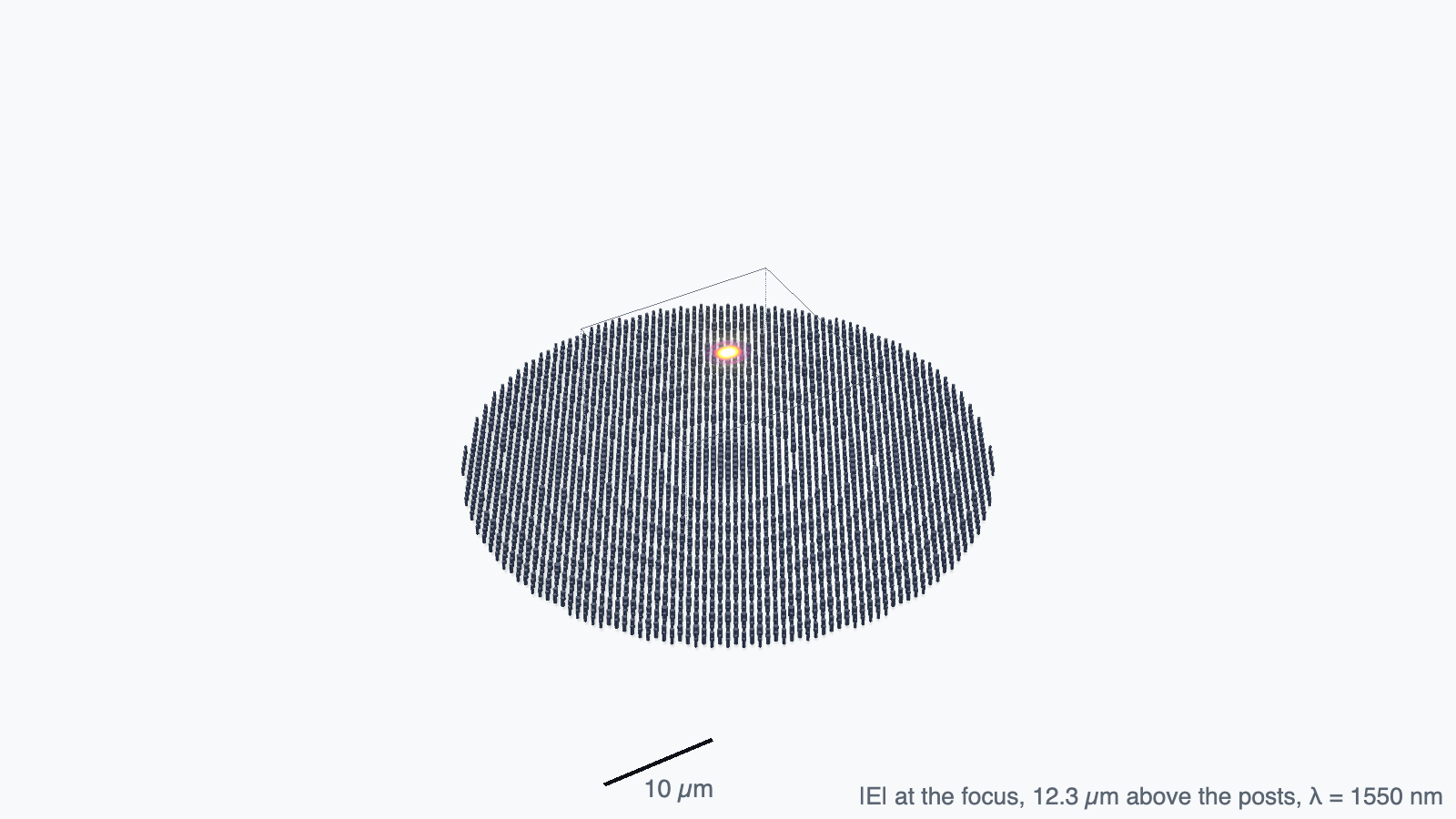
| Metasurface lens Arbabi 2015 | Focusing efficiency at NA 0.89 | 0.72 | 0.72 its 3D FDTD | 1 h, laptop |
| Photonic-crystal cavity Panuski 2022 | Resonance wavelength at 12 cells per lattice constant | 1559.0 nm | 1553–1562 nm measured | 3 min, laptop |
| Grating coupler Marchetti 2017 | Coupling efficiency at 1550 nm | −0.84 dB | −0.8 dB its 2D FDTD | 2 min, laptop |
| Waveguide bend Bahadori 2019 | Bend loss at 1550 nm, 5 µm footprint | 0.0025 dB | 0.0019 dB its 3D FDTD | 4 min, laptop |
| Silicon microring Xu 2008 | Radius for the Q to double | 103.5 nm | 106.5 nm its 3D FDTD | 2 min per ring, cloud GPU |
| Interlayer transition Huang 2014 | Insertion loss at 1550 nm, 50 µm overlap | 0.101 dB | < 0.25 dB its 3D FDTD, < 0.2 dB measured | 4 min, cloud GPU |
Scroll sideways to see every column, or focus the table and use the arrow keys. Open a device for its settings and convergence evidence.
Explore the components
Ultralow-loss waveguide crossing
Four spline tapers rebuilt from the paper’s 13-knot table. 0.018 dB per crossing against its stated 0.017 dB, with crosstalk below −60 dB.
Broadband directional coupler
Two couplers around a phase-control section, from the paper’s dimensions. A split that stays within 0.03 of one half across 1500–1600 nm, where a plain coupler swings by 0.32.
Curved directional coupler
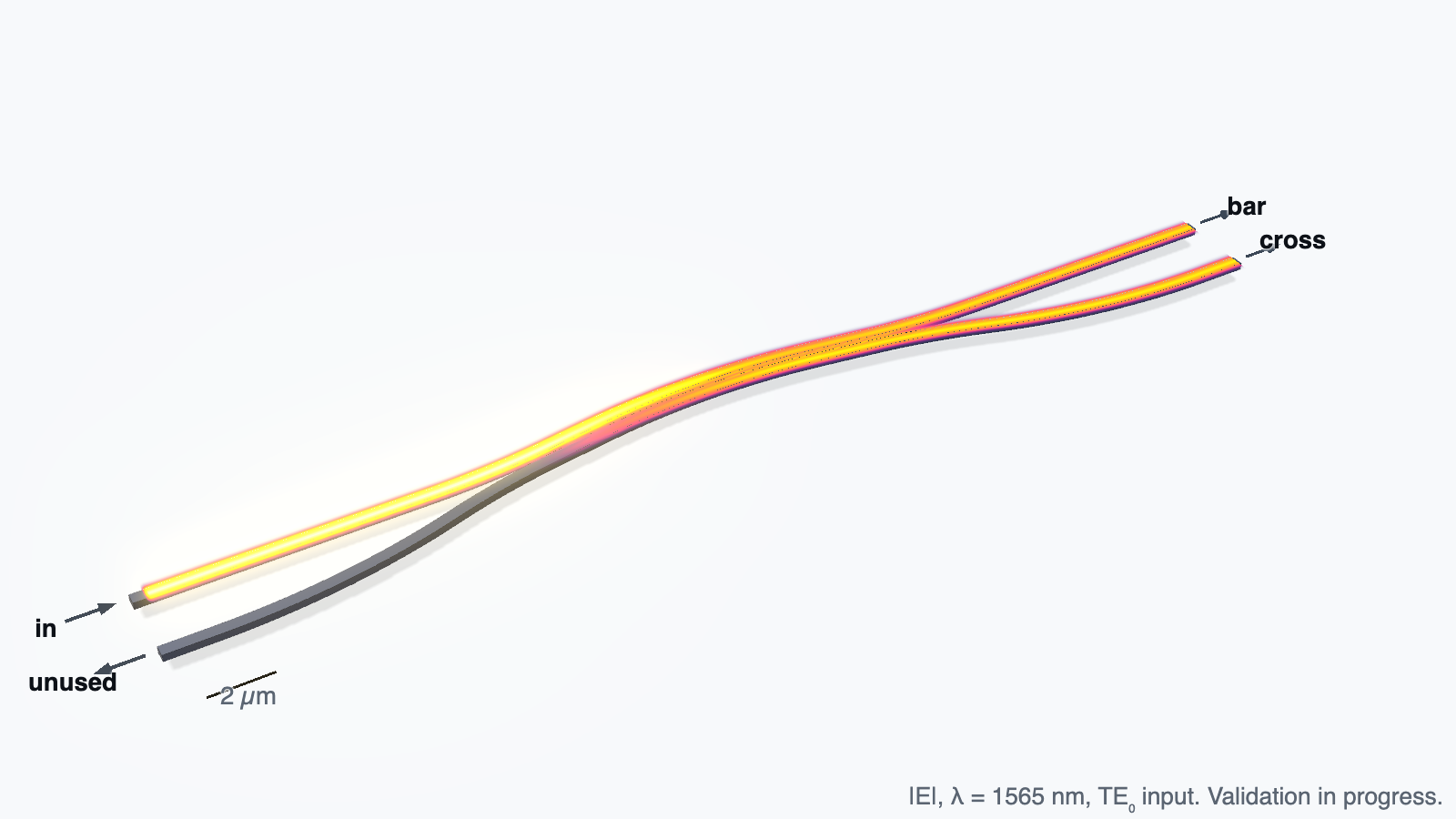
Follow light through two curved silicon guides. Set up the device and compare its bar and cross outputs from a 12.5 nm simulation with the paper.
Nanopost metasurface lens
3,559 silicon posts across 50 µm, lit by the fibre beam the paper used. Focusing efficiency 0.72 against its own 3D FDTD 0.72.
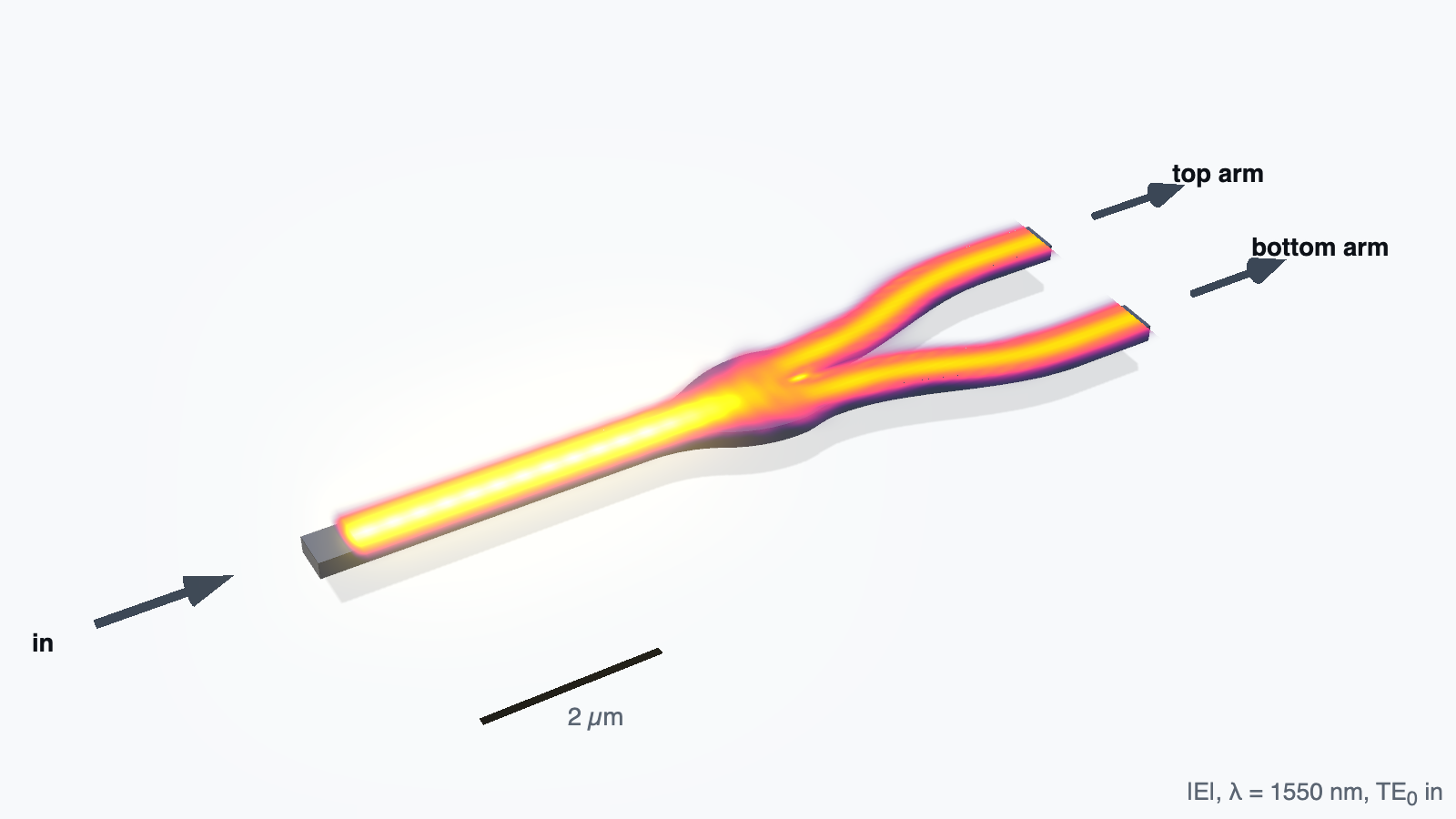
Y-junction with a chosen splitting ratio
Two boundary curves let one radius set any ratio. An even split to better than 0.001 dB, then the same junction swept from 50:50 to 17.5:1.
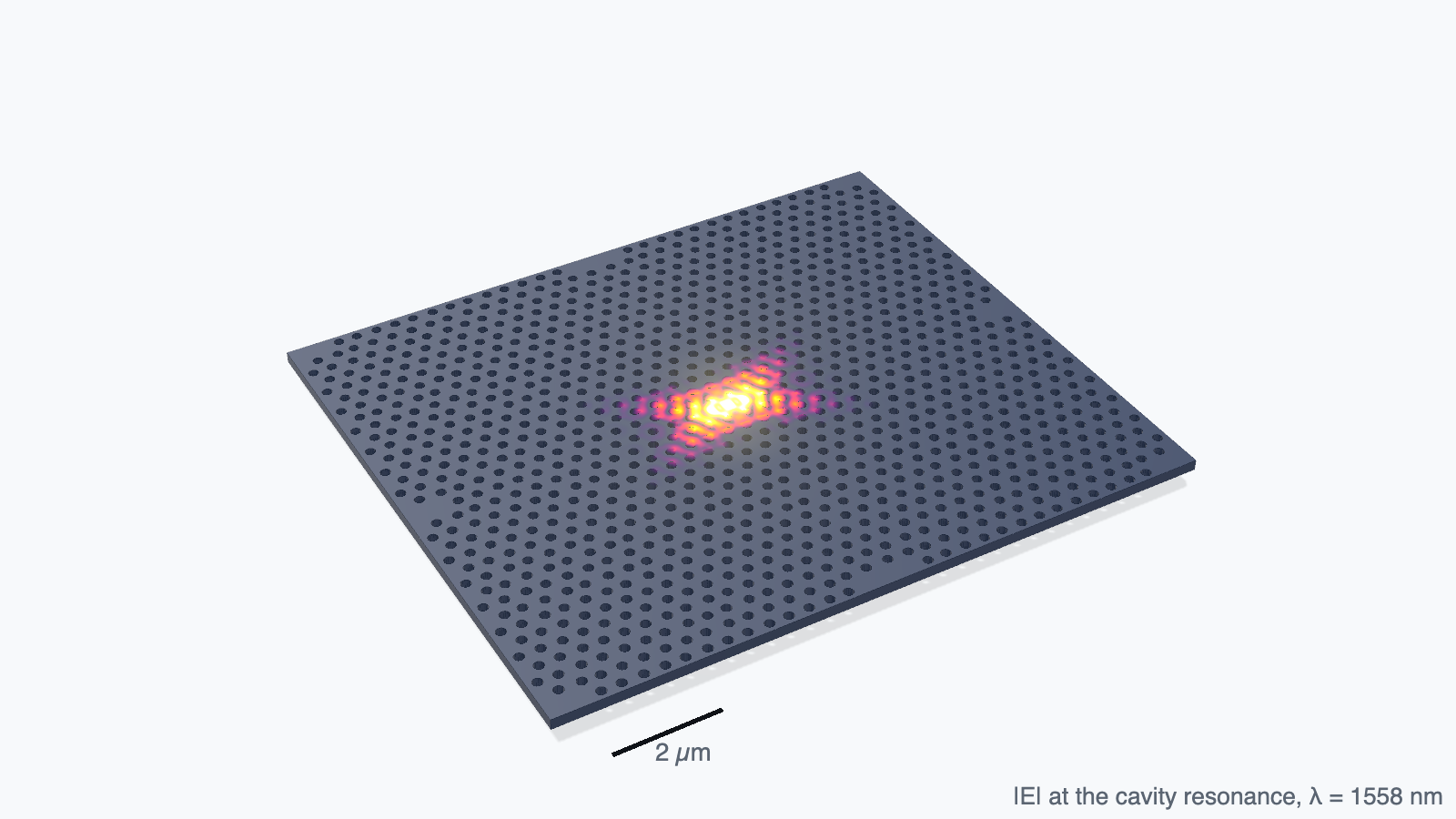
Vertically emitting photonic-crystal cavity
Every hole of the cell moved so a high-Q mode radiates upward instead of sideways. 1559.0 nm at 12 cells per lattice constant against a 1550 nm design point, read off a three-minute ring-down; finer meshes move it to 1563.6 nm, still not shown converged.
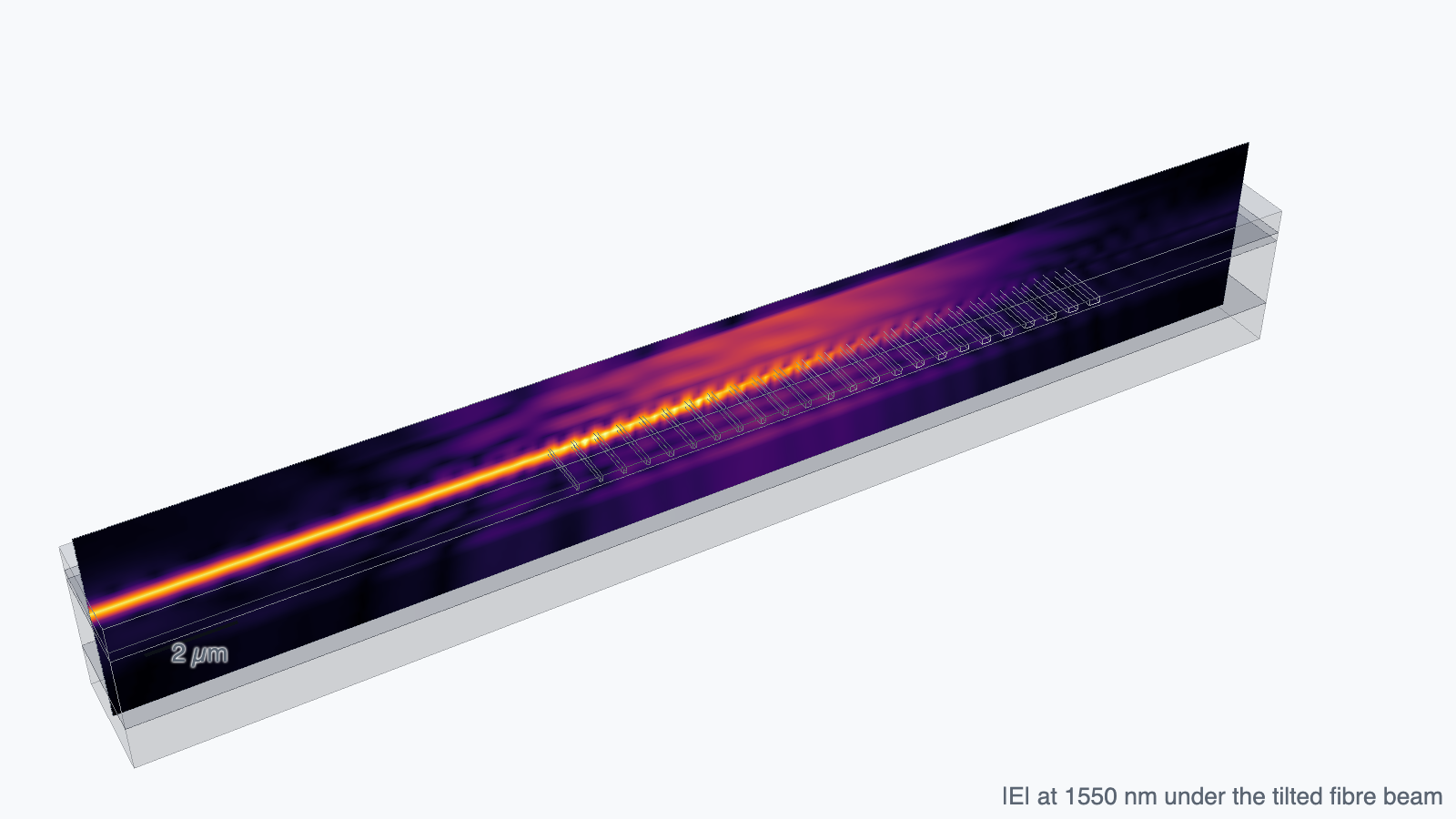
Apodized grating coupler
Twenty-four trench and tooth widths rebuilt from the paper’s table, under the tilted fibre beam it used. −0.84 dB at 1550 nm against its own 2D FDTD −0.8 dB.
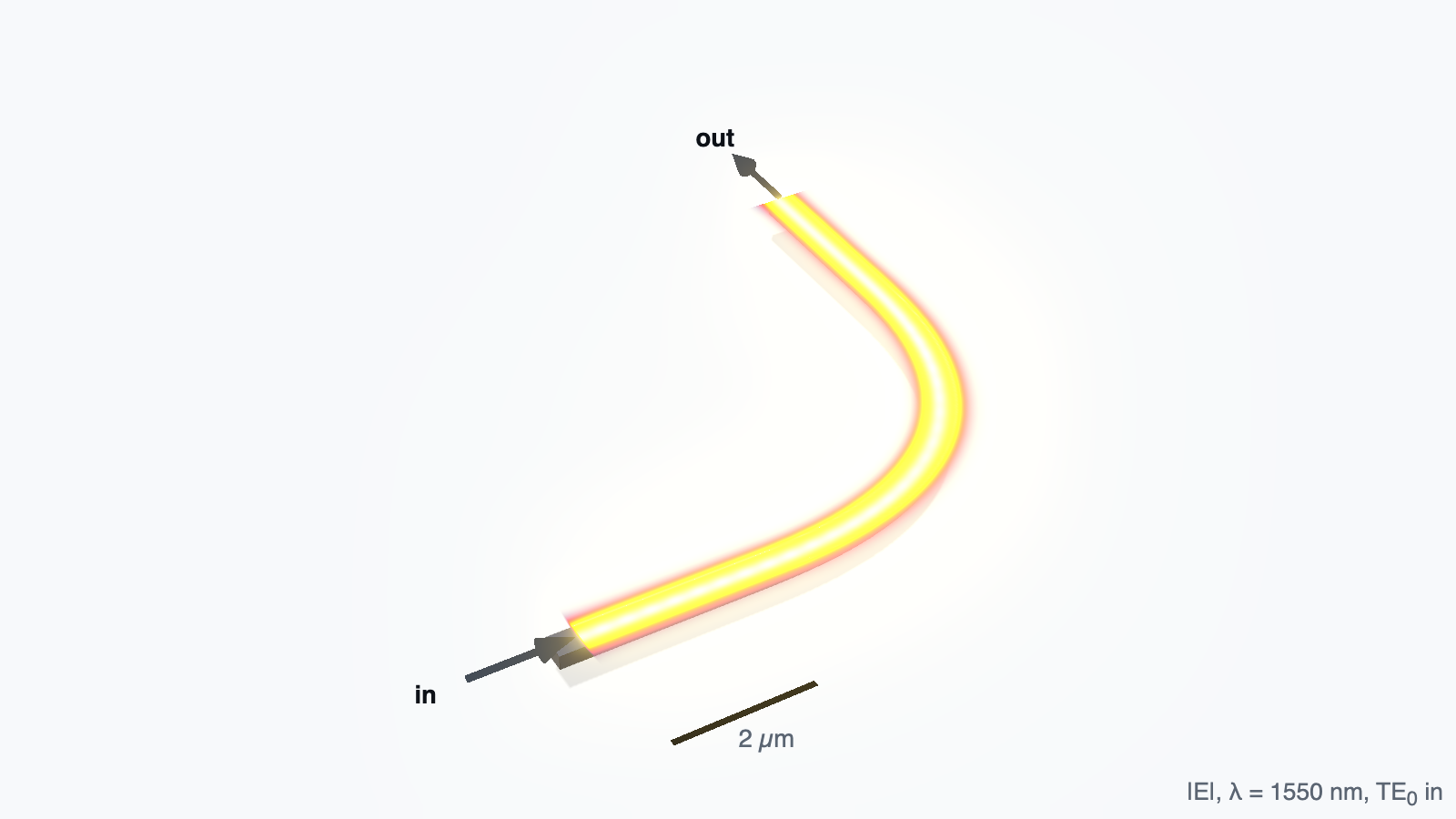
Optimal 90-degree waveguide bend
A curvature that starts and ends at zero, from the paper’s loss model, on a 5 µm footprint. 0.0025 dB at 1550 nm against its stated 0.0019 dB, where a circular bend loses 0.0149 dB.
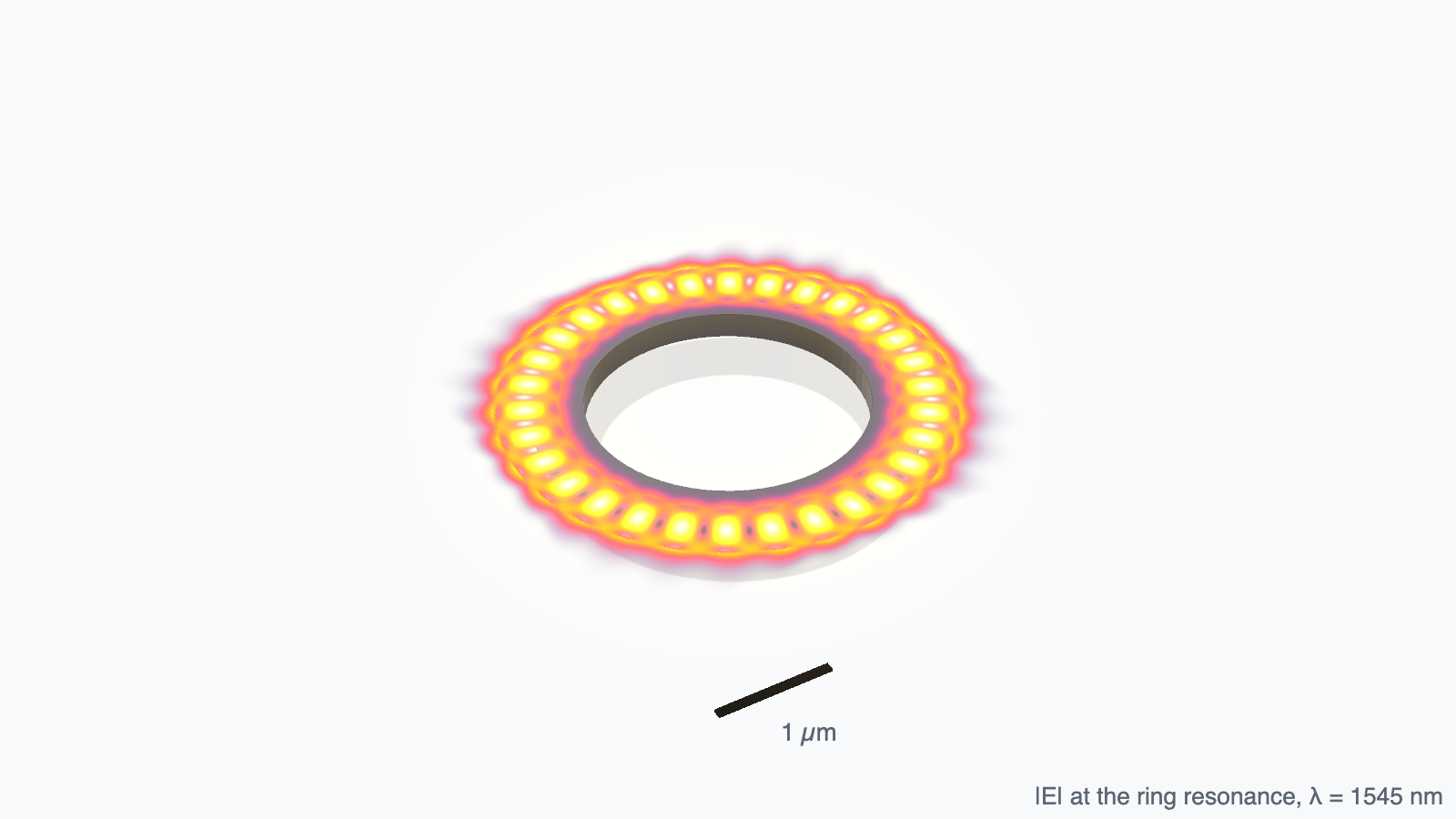
Silicon microring near its size limit
Two rings under 1.5 µm radius, each sized to resonate at 1546 nm and fitted from their ring-down. Q doubles every 103.5 nm of radius against the paper’s 106.5 nm.
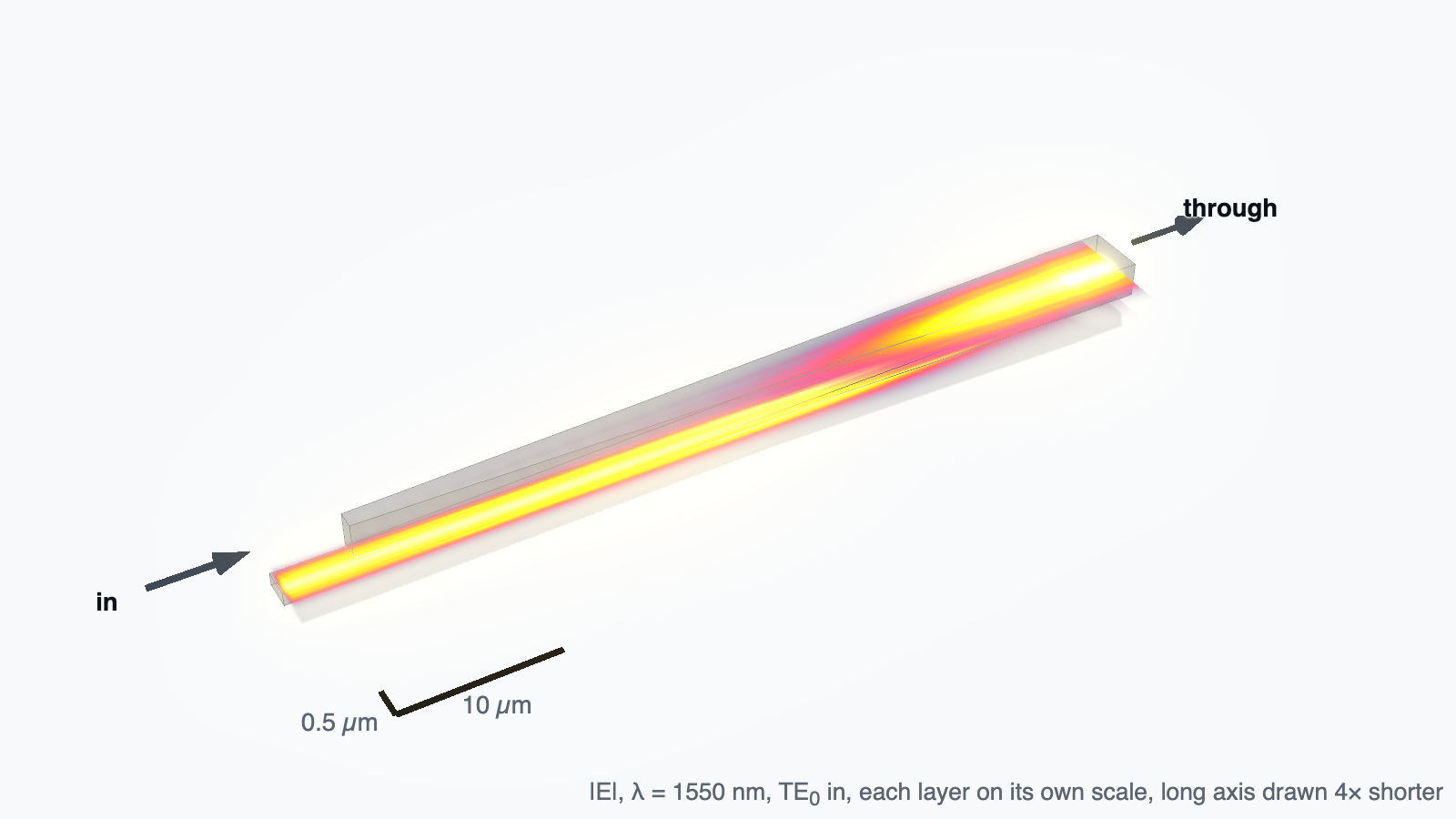
Silicon to silicon nitride interlayer transition
Two opposed 50 µm tapers hand the light from the silicon up to a nitride guide 100 nm above it. 0.101 dB at 1550 nm against the paper’s stated bounds, 0.25 dB simulated and 0.2 dB measured.
The worked examples
Executed notebooks, not snippets: the code, the plots, the settings and the sentence that says whether the result was accepted. Copy one and put your own dimensions in it.
Read them end to end →03 / Download
Your workflow. Your interface.
Two ways in. The Python SDK is on PyPI now, no invitation needed. The desktop installers and the local solver come with your invitation, so request one and your beta account, solver, and personal installer link arrive together when your spot opens.
Python SDK
Available nowpip install photonhub
Script simulations headlessly: import photonhub as ph,
build the same Simulation the desktop app does, and run
it from a notebook or CI. With a beta account the SDK submits cloud
GPU runs from any platform; for free local CPU runs it drives the
standalone phsolver engine, which ships for macOS 14+
on Apple Silicon today (invitation-gated and checksummed, like the
installers; other platforms build it from source).
macOS app
Coming soonWindows app
Coming soonVerify what you install. The SDK is a public release on PyPI. When you're invited, installers and the local solver archive are served through authenticated, short-lived links tied to your invitation, and every artifact's SHA-256 checksum is shown alongside it. macOS installers are notarized; Windows installers will be Authenticode-signed before any Windows build is offered.
04 / Beta access
Request an invitation.
Tell us a little about what you're building. We'll save your request and use your email to contact you about beta access and installer availability.
05 / FAQ
Common questions.
What does PhotonHub cost?
During the beta, local CPU simulation is free. Cloud GPU runs are metered by compute, and PhotonHub shows a transparent cost estimate before every run. Invitations may include introductory cloud credit to get you started.
Which platforms are supported?
The desktop app targets macOS 14+ on Apple Silicon and Windows 11
x64; Intel Macs, Windows 10, Windows on ARM, and Linux are not
supported by the beta installers yet. The Python SDK
(pip install photonhub) runs anywhere Python 3.11+
does, Linux included, and can submit cloud GPU runs from any of
them. Its packaged local solver is macOS 14+ on Apple Silicon
today; other platforms build it from source.
How do invitations work?
Registration requires a one-time invitation code. Use the request form (or email beta@leapfield.ai) with a line about what you're building; accepted testers receive a personal download link and invitation code. You can install the Python SDK from PyPI without an invitation; the invitation unlocks the beta account for cloud GPU runs and the local solver download.
Where does my data go?
Local simulations run entirely on your machine, and their inputs and results stay there. Only what you choose to send crosses the network: account and invitation details, and the cloud runs you explicitly start. Invitation requests are stored to manage beta access; you can request deletion at beta@leapfield.ai.